
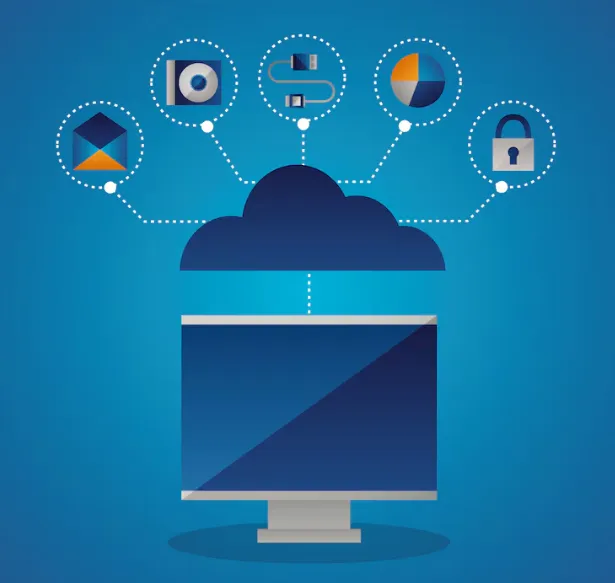
The emergence of remote work has altered how companies perform and cooperate. Businesses now depend on online and cloud-based technologies to communicate and to stay connected to their teams working from a distance. A crucial technology in the operation of remote businesses is the online virtual machine. The cloud virtual machine facilitates remote teamwork while also providing data security due to its central and remotely accessible nature.
This blog will analyze how a virtual online virtual machine is being utilized to promote collaborative working securely and what the advantages are for a remote workforce. Also, we will explain why the trend towards a virtualized online environment is rapidly developing within businesses.
What Is an Online Virtual Machine?
An online virtual machine is a virtual computer hosted in the cloud that users can access through the internet. It’s essentially like a physical computer, with a file system, memory, processors, and an operating system, just that the ‘physical’ elements are in a cloud hosted by a service provider.
Employees log on to a remote virtual machine from any device, whether it’s a laptop, desktop, tablet, or any other kind of device. As the software and files are located in the cloud and not on the user’s computer, there is more scope for security and for businesses to control resources.
Why Remote Teams Need Secure Collaboration Solutions
For employees, remote work has the benefit of increased flexibility and productivity, but it does pose multiple security risks for an organization. Team members may be accessing the network resources from a variety of locations, various machines (not company-owned), and on numerous network links (public Wi-Fi or home internet connections). This increases the threats from unauthorized access, theft of equipment, malware infections, and cyber-attacks.
Businesses must also ensure compliance with industry regulations and data protection standards. With an online virtual machine, this problem is avoided by providing one location to run all applications, files, and business data securely within the cloud environment. With access security maintained, all employees can work securely.
How Online Virtual Machines Improve Team Collaboration
Cloud virtual machines provide a shared workspace where employees can access resources securely and efficiently. This creates a consistent experience for team members regardless of their location.
Centralized Access to Files and Applications
An Online virtual machine, enabling employees to utilize all company software, files, and databases from a centralized cloud-based location. Files do not need to be moved between computers, and compatibility does not need to be worried about.
Accessing everything from a central point means that everyone is working from the current versions of applications and documents, and minimizes any confusion that may arise.
Consistent Work Environment
Remote employees often use different operating systems and devices. An online virtual machine provides a standardized environment for all users.
Employees using Windows, Mac, or Linux can access all the same applications, configurations, and resources over the cloud, which will reduce the workload and complexity for IT administration.
Real-Time Collaboration
Teams can work together on projects, share resources, and access centralized data in real time. Because information is stored within the cloud environment, updates become immediately available to authorized users.
This minimises the time lags and keeps the team on board all the way through the project.
Security Benefits of Online Virtual Machines
Security is one of the biggest reasons organizations choose an online virtual machine for remote work.
Data Remains in the Cloud
Instead of storing sensitive information on employee devices, data remains within the cloud infrastructure. Even if you lost the computer, the company information is secure.
Controlled User Access
By having an administrator, you are able to set access levels and control what others can and cannot access. This adds to overall security and prevents unauthorized users from gaining access to confidential files.
Secure Remote Connections
Almost all cloud providers offer encrypted connections. This protects your data when it travels from users to the virtual machine. Encryption ensures that your data will not be intercepted.
Simplified Security Updates
The IT department will be able to update software, security tools, and operating systems from a central position, providing every user with a safe working environment without having to work through each device.
Business Advantages of Using Cloud VMs
Cloud virtual machines offer several advantages that help businesses operate more efficiently and support remote teams. Online virtual machine enable businesses to increase or decrease resource usage in response to load, without the need to purchase new hardware.
In addition, it offers a way of reducing infrastructure and maintenance costs to the business as they only have to pay for the resources which are required. Cloud VMs provide business continuity and a Disaster Recovery mechanism.
Furthermore, they facilitate employee onboarding, provide pre-configured work environments to new team members with ready-to-go access for immediate work.
Best Practices for Remote Teams Using Online Virtual Machines
To maximize the benefits of an online virtual machine, organizations should follow several best practices:
- Enable multi-factor authentication for all users.
- Use strong password policies.
- Restrict access based on employee roles and responsibilities.
- Keep track of the user’s actions at all times.
- Set up automatic backups.
- Update operating systems and applications.
- Train employees on cybersecurity awareness.
These actions will all contribute to keeping the remote workspace a safe and productive place.
Conclusion
With increasing numbers of businesses adopting remote work, secure and scalable tools are required to allow teams spread across different locations to cooperate with one another. An online virtual machine allows staff to access files, applications, and resources from any location through a central desktop space.
Through enhancements in security, real-time collaboration support, simplification of IT needs, and aid to business continuity, online virtual machine are now a crucial component for present-day companies. Businesses that invest in an online virtual machine can avail the opportunity to equip their teams with productive remote working capability and secure critical business data in the age of the internet.
