
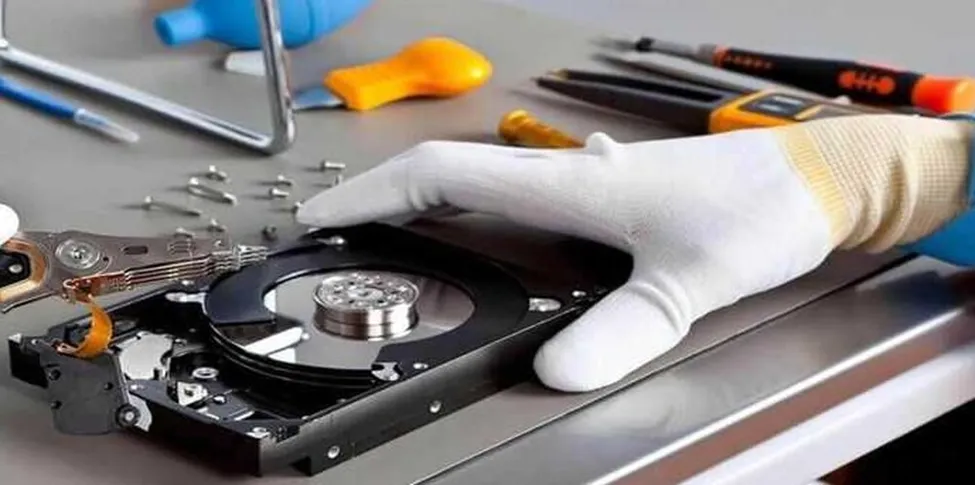
Losing access to important files can be stressful, particularly when a device contains years of photographs, business documents, academic work, or personal records. A damaged phone, laptop, hard drive, or SSD does not always mean that the stored information is permanently lost. With the right assessment and recovery approach, specialists can determine what can potentially be retrieved and how the process should proceed. Choosing the Best Data Recovery Service can make an important difference because damaged storage requires careful handling rather than repeated trial-and-error atte mpts.
Why Data Can Become Inaccessible
Data loss can happen for many reasons, and the recovery process depends heavily on the underlying cause. Physical damage may occur after a device is dropped, exposed to liquid, overheated, or subjected to electrical failure. Storage components can also deteriorate naturally over time, resulting in read errors, corrupted sectors, or sudden device failure.
Logical problems are another common cause. Accidental deletion, formatting, file-system corruption, malware, failed operating-system updates, and software conflicts can prevent normal access to otherwise recoverable information. In some cases, the device itself appears functional, but particular files or folders can no longer be opened. Understanding the difference between physical and logical damage is important because each situation requires a different recovery strategy.
Initial Diagnosis Comes First
A professional recovery process generally begins with diagnosis rather than immediately attempting to retrieve files. The technician assesses the device, identifies the type of storage involved, and looks for signs of physical or logical damage. This stage helps establish whether the storage media can be accessed safely and what recovery methods may be appropriate.
The assessment can also reveal whether the issue is caused by the storage device itself or another component, such as a damaged connector, power-related fault, or operating-system problem. In certain cases, a device may simply require a repair that restores access without requiring extensive recovery work. A careful diagnosis is valuable because it reduces unnecessary intervention. It also allows the technician to explain the likely recovery possibilities before proceeding.
Step 1: Securing the Damaged Device
Once data loss is suspected, protecting the device should become the priority. Continuing to use a failing hard drive or repeatedly restarting a damaged computer can sometimes make the situation worse. New data may overwrite deleted files, while repeated attempts to access a failing drive can place additional stress on unstable hardware.
For devices affected by liquid, users should avoid repeatedly powering them on to check whether they work. Similarly, clicking or unusual mechanical sounds from a hard drive should not be ignored. The safest approach is to stop unnecessary activity and seek an assessment. Keeping the original storage device untouched can preserve the best possible starting point for recovery.
Step 2: Creating a Safe Working Copy
When storage can still be accessed, specialists may create a sector-by-sector copy or image of the affected media. This provides a safer working environment because recovery attempts can then be performed on the copy rather than repeatedly interacting with the original device. This stage is particularly useful when a storage drive has unstable sectors. A controlled imaging process can help capture accessible information while limiting unnecessary stress on the original media. The exact technique varies according to the storage technology and condition. Hard disk drives, SSDs, memory cards, and other storage formats have different characteristics, so recovery cannot follow one universal procedure.
Step 3: Recovering the Available Data
After diagnosis and imaging, appropriate recovery techniques are selected. For logical failures, specialists may analyse file systems, partitions, directory structures, or deleted-file records to locate accessible information. Physical damage can require a more specialised approach. If a drive has failed mechanically or has suffered component-level damage, recovery may involve specialist equipment and controlled procedures. SSDs can present additional challenges because of their architecture and data-management mechanisms. Importantly, recovery is not always an all-or-nothing process. Some files may be fully recoverable, others may be partially damaged, and some may be inaccessible. The condition of the storage media ultimately determines the outcome.
Step 4: Verifying Recovered Files
Recovering files is only part of the process. Specialists should also verify the recovered information to determine whether documents open correctly, photographs display properly, and folders retain useful structures.
File names and directory organisation may not always be preserved, particularly when severe corruption or fragmentation is involved. Verification helps identify which recovered files are usable and whether additional recovery attempts may be worthwhile. This step is especially important for businesses and professionals because a file appearing in a recovery folder does not necessarily mean that its contents are intact.
Common Mistakes to Avoid
When valuable information disappears, searching for quick solutions can be tempting. However, downloading multiple recovery programs and repeatedly scanning a failing drive may create additional risks. Installing software onto the same storage device from which deleted information needs to be recovered can potentially overwrite recoverable data.
Users should also avoid opening hard drives or attempting component-level repairs without suitable expertise. Storage devices contain delicate parts that can be easily damaged through improper handling. Another mistake is delaying action after noticing signs of failure. Clicking noises, frequent crashes, disappearing partitions, unusually slow performance, or repeated read errors can indicate developing storage problems. Addressing such symptoms early may improve the chances of recovering important information.
Conclusion
The data recovery process is a structured effort that begins with diagnosis and continues through device protection, imaging, recovery, verification, and secure file transfer. The possibility of success depends on the type and severity of damage, the storage technology involved, and how the device has been handled after the failure. Acting carefully instead of experimenting with uncertain solutions can help preserve valuable information.
For users seeking dependable technical assistance, 800fixing combines device repair expertise with data recovery support for phones, laptops, hard drives, SSDs, and MacBooks. Their service approach centres on assessment before repair, clear communication, appropriate technical methods, and privacy-conscious handling of customer devices. As a Dubai-based provider supporting customers across the UAE, they also offer convenient service options depending on the device and location. When important information is at stake, choosing Professional Data Recovery Dubai support from an experienced provider can help users approach the recovery process with greater confidence and care.
